Learn Enough to Finish Your First Edit.
DaVinci Resolve tutorials for absolute beginners. Learn only what you need to finish your edit, without getting lost in Fusion, color grading, or features you don't need yet.
Start Here
Follow these three steps to start editing without getting buried in everything DaVinci Resolve can do.
Download the Beginner Template
Start with a clean, organized timeline built specifically for absolute beginners.
Watch the Beginner Playlist
Follow the beginner playlist and learn the skills you actually need for your next edit.
Finish Your First Edit
Put the basics together, complete your video, and build confidence by actually finishing.
"Your “learn enough to finish your edit” philosophy really resonates with me — that’s exactly the trap I was falling into, trying to learn everything at once."
– Christian, YouTube Viewer
Free DaVinci Resolve Beginner Template
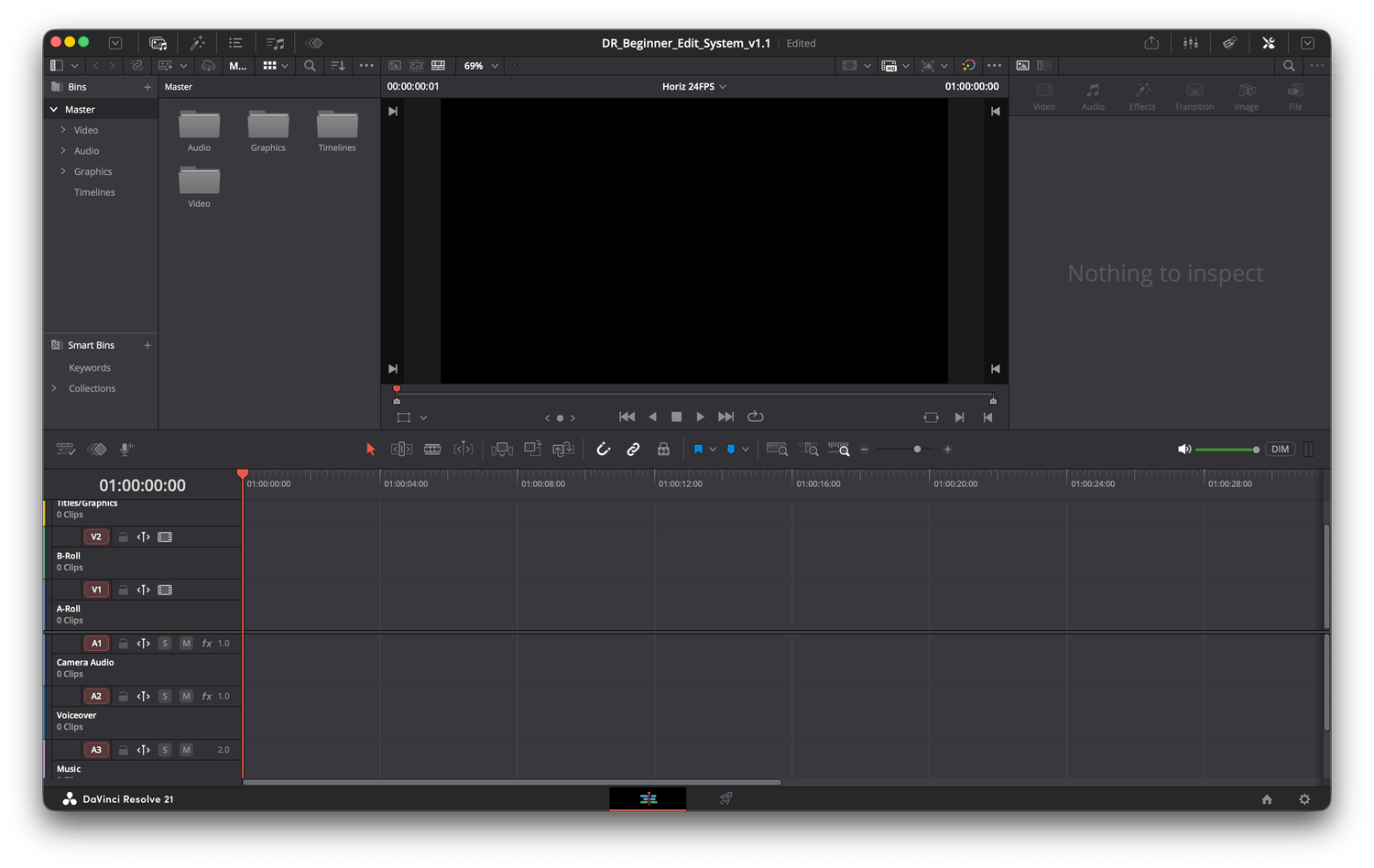
Organized video and audio tracks.
Ready-to-use workspace.
Beginner-friendly layout.
Faster editing from your very first project.
Hi, I'm Chappy.
I didn't start out as a filmmaker or professional editor.
Like a lot of people, I opened DaVinci Resolve for the first time and immediately felt overwhelmed. Every tutorial seemed to jump into Fusion, color grading, visual effects, or another advanced feature before I even knew how to put a simple video together.
Over time, I realized I didn't need to learn everything. I just needed to learn enough to finish my videos.
That's the approach I use on this channel today. I focus on the Edit page first, keep things simple, and help absolute beginners build confidence one video at a time.
If you're just getting started, you're in the right place.
My goal is simple, help you learn enough to finish your edit.
What You Actually Need to Start
You don't need expensive gear to make good videos. These are the tools I'd recommend if you're just getting started.
Disclosure: As an Amazon Associate I earn from qualifying purchases. If you buy through these links, I may earn a commission at no extra cost to you.
Start with the free version. It's more than powerful enough to learn editing and make great YouTube videos.
Your Current Phone
Don't wait until you can afford a better camera. If your phone records video, you already have a camera to start.
Clear audio makes a bigger difference than an expensive camera. This is the microphone I'd recommend to almost any beginner.
A simple tripod helps your videos look more professional without spending a fortune.
Keep Learning—One Step at a Time.
You don’t need to learn everything in DaVinci Resolve at once. My beginner tutorials focus on the tools you need right now, explained clearly and in the order that makes sense.
Ready to Start Editing?
Download the free beginner template and start building your first project today.